Google has been ramping up their efforts to reduce the Chromebook’s image of being a low-powered device for schools (and expanding their appeal to business users and more home users) by creating a new standard category of Chromebooks called Chromebook Plus.
To meet the Chromebook Plus specification, a device has to have
- A minimum of 8 GB of RAM
- An Intel i3 processor or higher (Ryzen 3 5000 or higher for AMD processors)
- At least 128 GB of storage or higher
- A 1080p webcam
- A Full HD IPS display
The ASUS CX34 (Link disclosure: This is not a paid review, but I earn commission with all purchases made with product links to support the blog!) counts with the following specs:
- An Intel Core i5 1335U
- 8 GB of RAM
- 128 GB of UFS Storage
- A 14-inch 1920×1080 FHD IPS touchscreen
- 8-Hour battery
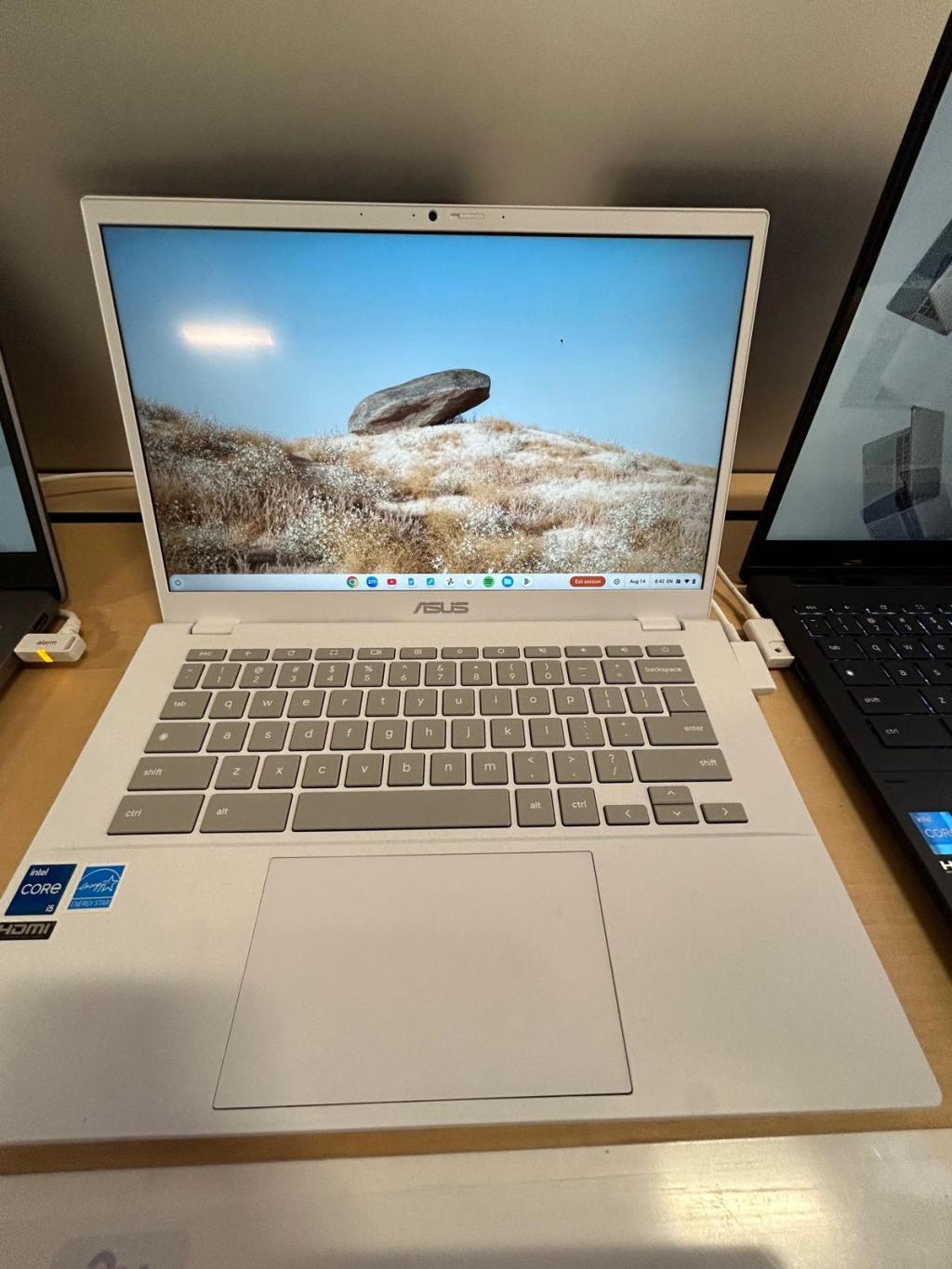
Aesthetics
I really like the color of the device since it brings me back to the days of Apple’s ivory-colored iBook G4 versus going for a conservative gray like other devices. The texture of the device is smooth and light, and it doesn’t seem like a device that would stain easily despite its color. The bottom is grilled because of the fans and speaker. The screen has a privacy shutter which feels a little flimsy, but provides extra security and privacy during breaks in videoconferencing. One major con is that it doesn’t have a back-lit keyboard, which in my opinion should have been a prerequisite for the Chromebook Plus designation.
Performance
While ChromeOS is generally fast and lightweight on even low-end devices, the impact of this Chromebook’s upgraded processor and RAM is noticeable right away. I was able to open 10+ Youtube tabs as well as Docs tabs at once while browsing through the Files app without a lag. The Files app is known to lag on older Chromebooks that use slower eMMC-based storage.
You can also easily install the Linux environment to install regular offline apps like LibreOffice or basic Linux-based games. However, this isn’t meant as a gaming device since it doesn’t have its own dedicated graphics card. Since Linux apps are run in a container/sandbox, the performance will still suffer somewhat but not be as noticeable.
The upgraded specs seem to be aimed at the heavy business users who will have several documents and tabs open at once while conducting small to medium-sized videoconferencing calls.

Battery Life
With increased performance comes the sacrifice of shorter battery life, especially when dealing with Intel and AMD processors that won’t have the same energy efficiency an ARM processor like Mediatek. For example, many ARM-based Chromebooks are able to get 10+ hours of battery life due to their ability to “sip” energy versus gulp it like more powerful processors.
8 hours would be sufficient for most work days, but your actual duration on this device may be less (6-7 hours) if you’re doing more bandwidth and memory intensive work or consuming a lot of media with the brightness turned up along with peripheral use (e.g., Bluetooth headphones). I’m someone who generally likes to turn up the brightness (it helps with video calls) and use wireless headphones, so my battery mileage is usually in the medium to lower end.
Apps
Because of the faster processor and higher RAM, there are more offline apps that are available beyond the usual fare of web apps. You can comfortably install both Linux apps and Google Play apps.
Most Android apps are optimized for phone and tablet use, so ymmv regarding which apps will work well, which ones will be somewhat in the middle, or which ones will be too buggy to use. The ability to interact with the apps using the device’s touchscreen lessens this issue somewhat.
Final Thoughts
The ASUS CX34 is a good device for business users and higher education users because of the stronger performance and moderate-size screen, though it really suffers without the feature of a back-lit keyboard, which should be standard with a Plus designation.
Battery life is not the worst nor the best, but it’s something to keep in mind if mobility and longevity are important to you, especially since battery life will naturally degrade over time.
The device is light and aesthetically pleasing and also a step in the right direction for increasing the diversity of more powerful Chromebooks. It’s good to offer more powerful Chromebooks while preventing the OS-bloat that can come with other operating systems. Imo, one of ChromeOS’ most attractive flagship features are its fast boot-up time and a light device footprint which are maintained even with upgraded specs.


 Chromebook Reviews
One response to “Is the ASUS CX34 Worth It for Business and Education?”
[…] and faster processors), there are several good Chromebook Pluses for lower price points like the Asus Chromebook Plus CX34 going for $399 (Asus) or $499 (Best Buy) at the time of […]
LikeLike