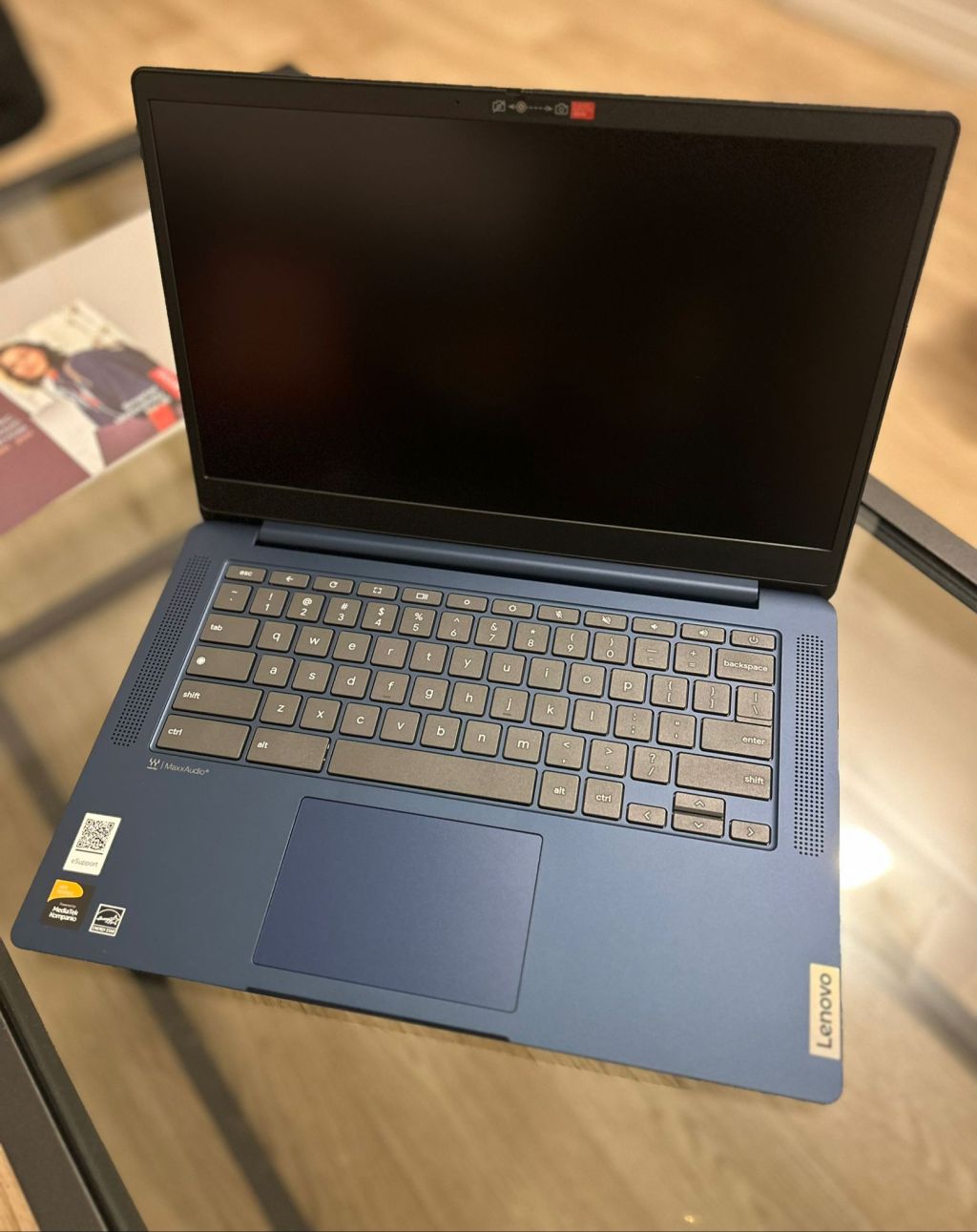
After having a good experience with the 11.6″ Lenovo 100e (2nd Gen), I decided to take advantage of a Labor Day deal for Lenovo’s 14″ IdeaPad Slim 3 Chromebook. It was hard to say no when the original $319 retail was slashed down to $169.
The Lenovo IdeaPad Slim 3 ships with the following specs:
- A 14″ FHD touchscreen display (1920×1080 HD)
- 64 GB of eMMC storage
- An Octa-core Mediatek Kompanio 500 series 2.05 Ghz processor
- 4 GB of RAM
- Battery life of up to 13 hours
- 1 USB-C charging port
- 1 USB-A port
- 1 SD Micro SD card slot
- A 3.5 mm headphone/mic port
- A 720p webcam with a privacy shutter
- Software updates until June 2033
First Impressions
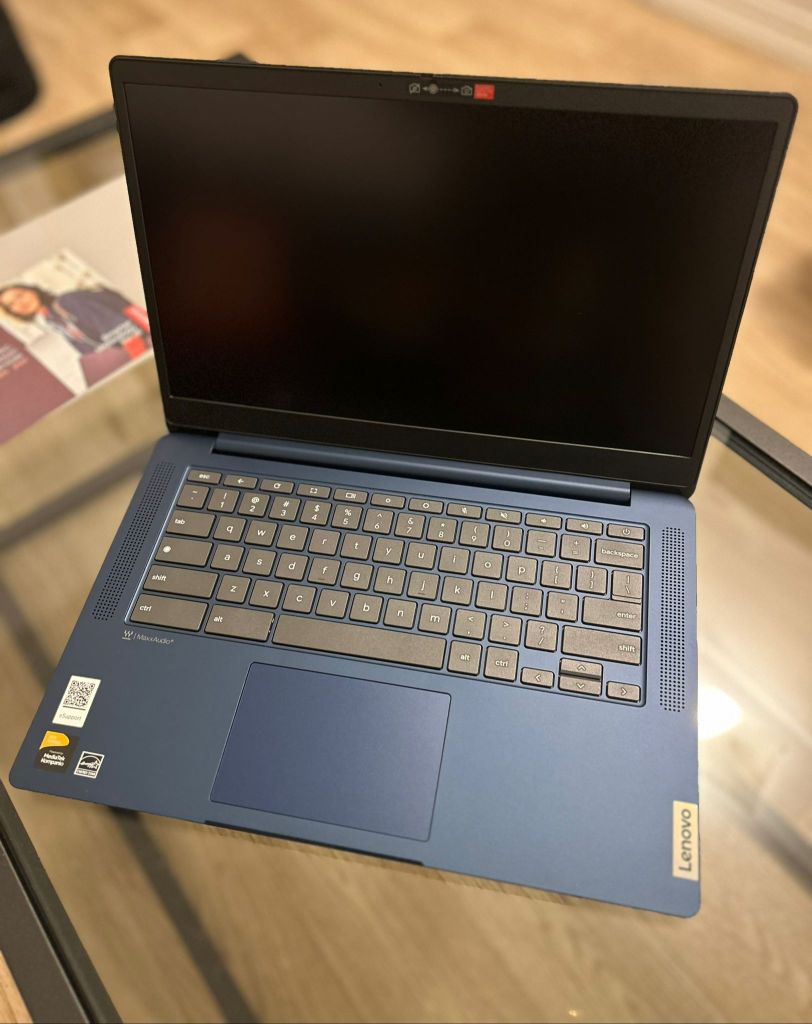
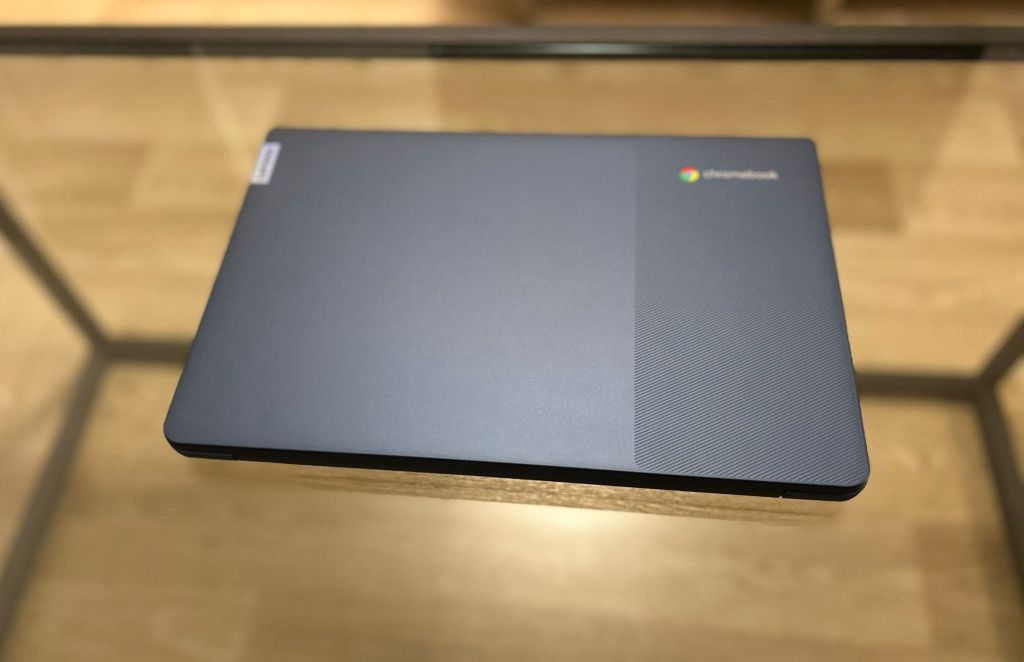
The 14″ Lenovo IdeaPad Slim 3 Chromebook (not to be confused with its Intel-variant sibling, the IdeaPad 3i) is a welcome upgrade to my first tester Lenovo 100e Chromebook.
The design comes in an attractive dark blue (excuse me, “Abyss Blue” as per Lenovo) and a screen with a much thinner bezel than the thiccboi Lenovo 100e, with a 14-inch screen that’s 300 nits bright. The speakers are up-firing and the left side ports feature one USB-C for charging, one USB-A for traditional peripherals, a 3.5mm dual headphone/mic port, and a MicroSD card slot. There is a Kensington lock slot on the right side.
A Note on Mediatek ARM Processors
While Google’s Chromebook Plus category with powerful Intel and AMD processors bring attractive features, I’ve always been more of a fan of the fanless Chromebooks powered by the ARM processors (in this case, the Mediatek variant).
Unless I’m running a gaming rig (which is not what most Chromebooks are designed for), I prefer devices that don’t quickly heat up and sip (versus frat-boy chug) battery charge like Intel/AMD processors. Having a silent device with 10-13 hours of battery life is a killer feature for office workers and educators.
Current ARM-based Chromebooks may not be the fastest, but silent longevity makes me team ARM all the way.
Performance
The device multi-tasked well during its debut helping me teach a 20+ student Zoom classroom and having several tabs with webpages and documents open on Microsoft 365 (the online version of Microsoft Office is well-integrated as an “installable” PWA web-app as of the latest ChromeOS update). The device’s performance is also helped by the fact that I don’t use any Android or Linux apps on it to minimize any background processes.
The only thing I would change is making 8 GB of RAM standard on all Chromebooks (again, it’s 2024). That said, I haven’t noticed any sluggishness though I wasn’t ready (nor could afford) to test what opening 928736 tabs would do to my Zoom session.
While ChromeOS is a lot more lightweight than Windows, I can unfortunately see the 4 GB of RAM dating the device fairly quickly.
Display
I’m not an expert on display specs (it’s shiny!), but 300 nits feels adequate for my use case and is noticeably much brighter than my 250-nit Thinkpad A485. The IPS display is also good for media consumption since changing viewing angles don’t distort colors or images (helpful for cuddling with your real or imaginary boo and watching shows together without complaining about not being able to see it).
I was surprised that the device has a touchscreen (especially at $169), which was reasonably responsive when using Zoom’s whiteboard feature. The touchscreen also makes it easier to use Android apps for those who need or use them on ChromeOS.
The 14″ screen will also make sure I never put myself through the masochistic torture of teaching a class on an 11.6″ screen (which I did this morning for my 9 am class before hopping over to Best Buy and picking up this device for my 6 pm class).
The display comes with a built-in 720p webcam (adequate enough for video calls) and a welcome privacy shutter for when I don’t want my students to see me pouring a second cup of coffee during a 2-hour class.
Ports
Like most modern laptops, the port availability is pretty basic, so you’ll find yourself swapping peripherals in and out, going for the dongle life, or mostly relying on Bluetooth peripherals. To its credit, the device easily recognized my USB-connected Brother laser printer, my Beats headphones, and my Microsoft Surface-branded wireless mouse.
Final Thoughts
The 14″ IdeaPad Slim 3has been a great update to my smaller 11.6″ Lenovo Chromebook. I plan to continue trying it out as my daily driver for my teaching work. The larger display real-estate is a must for teaching and writing longer-form documents. It’s a good device for light to moderate office work with Google Docs, Microsoft Office, and medium-sized Zoom meetings with moderate screen-sharing. It’s also a good after-hours media consumption device. The fanless design and long battery life make it a delight to use.
As for my older 100e Chromebook, while it looks like it fell out of an old elementary school’s IT cart, its rugged spill-proof and drop-sturdy design secures its place as a mini-me Chromebook a keeper I will carry around for travel or more hazardous settings like sticky coffee shop tables.
Check out the Lenovo IdeaPad Slim 3 on Amazon
(Full Link Disclosure: I bought the device with my own cash, but all purchases done through this link earn me a small commission to help support the blog!)


 Chromebook Reviews
4 responses to “Lenovo IdeaPad Slim 3: Impressive Specs for $169”
[…] both worlds: battery efficiency and moderate power. I sold my Acer 516 Chromebook Plus and kept my Lenovo Slim 3 for a […]
LikeLike
[…] I am a huge fan of ARM-based Chromebooks and have been hoping for a beefed up version of the Slim 3 to come out. Typically, many of the ARM-based choices have been historically relegated to the entry […]
LikeLike
[…] display is non-touch, which for a more premium Chromebook Plus feels unforgivable (especially when a more basic $169 Lenovo Slim 3 includes one by default). This also presents a missed opportunity when it comes to installing […]
LikeLike
[…] I had previously been resistant to getting any Intel-based Chromebook because of the draw on battery life and because I love the fanless design of the ARM-based Chromebooks like my Lenovo Slim 3. […]
LikeLike