Privacy and Chromebooks in the same sentence sounds like an oxymoron. While Chromebooks are more secure than Windows-based machines (no ransomware to date, no viruses, and automatic updates), that doesn’t translate into automatic privacy.
They require an online account to use (unless you use guest mode) and of course we know Google has a monopoly on ad revenue. However, locking it down for more privacy is still possible with some tweaks.
What are some ways to increase your privacy on ChromeOS?
- Go into your Google account and toggle any privacy or security switch available. Click on the upper right on the Google home page -> Go to “Manage my Account” -> Click on Data and Privacy and toggle off settings like personalized ads, personalized search, web activity, location history, and visible profile attributes. Also go under Security and check for any third party apps or services you authorized to be connected to your account.
- Consider a Google Workspace account. Give Google more money?! What?! I wouldn’t recommend this unless you need it for your work, but I have a workspace account for one of my emails since I’m required to have a HIPAA compliant account as a clinician. This comes with extra protections under a BAA (Business Associate Agreement).
- Use a VPN. VPNs vary in price and quality but are necessary if you use Wifi in any public places for sensitive things like viewing bank accounts. ChromeOS now has built in VPN functionality through its Android container, so many of the VPNs have to be downloaded through the Google Play store (Mullvad, KeepSolid, Express VPN, and Nord VPN are some reputable options).
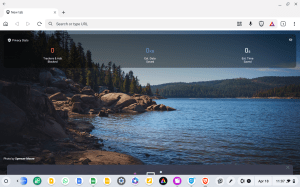
- Use alternative browsers. While the whole point of ChromeOS is to maximize the features of the Chrome browser, you may want to use one browser for personal use (with separate bookmarks and settings) and another for work. Many of your alternatives here would also be from the Play store and will be mobile versions of Firefox or Brave. Because they’re Google Play apps, they will often have a jumbo-sized Android aesthetic. Using Linux browsers is also possible here.
- Use an ad-blocker. The efficiency of ad-blockers will vary since Google blocked ublock origin, but there are still ad-blockers in the Chrome Web Store such as AdBlock. Success rates will vary and depending on the features you need, these extensions often work on a fremium model.


In summary, increasing your privacy on ChromeOS will be a mixture of using the right settings and common sense online behaviors like avoiding sketchy extensions and keeping track of which third party apps are connected to your account.


 Chromebook Reviews