
Lenovo has been making waves in the Chromebook world, particularly with their ARM-powered offerings. It’s not a secret that ARM-based Chromebooks have been my favorite because I think ARM-based machines are the future when it comes to having the best of both worlds: battery efficiency and moderate power. I sold my Acer 516 Chromebook Plus and kept my Lenovo Slim 3 for a reason.
But with the Lenovo Chromebook Plus 14, the Lenovo Duet Gen 9, and the Lenovo Slim 3 Chromebook (MediaTek) all sporting ARM processors, how do you choose? Let’s break down these three contenders.
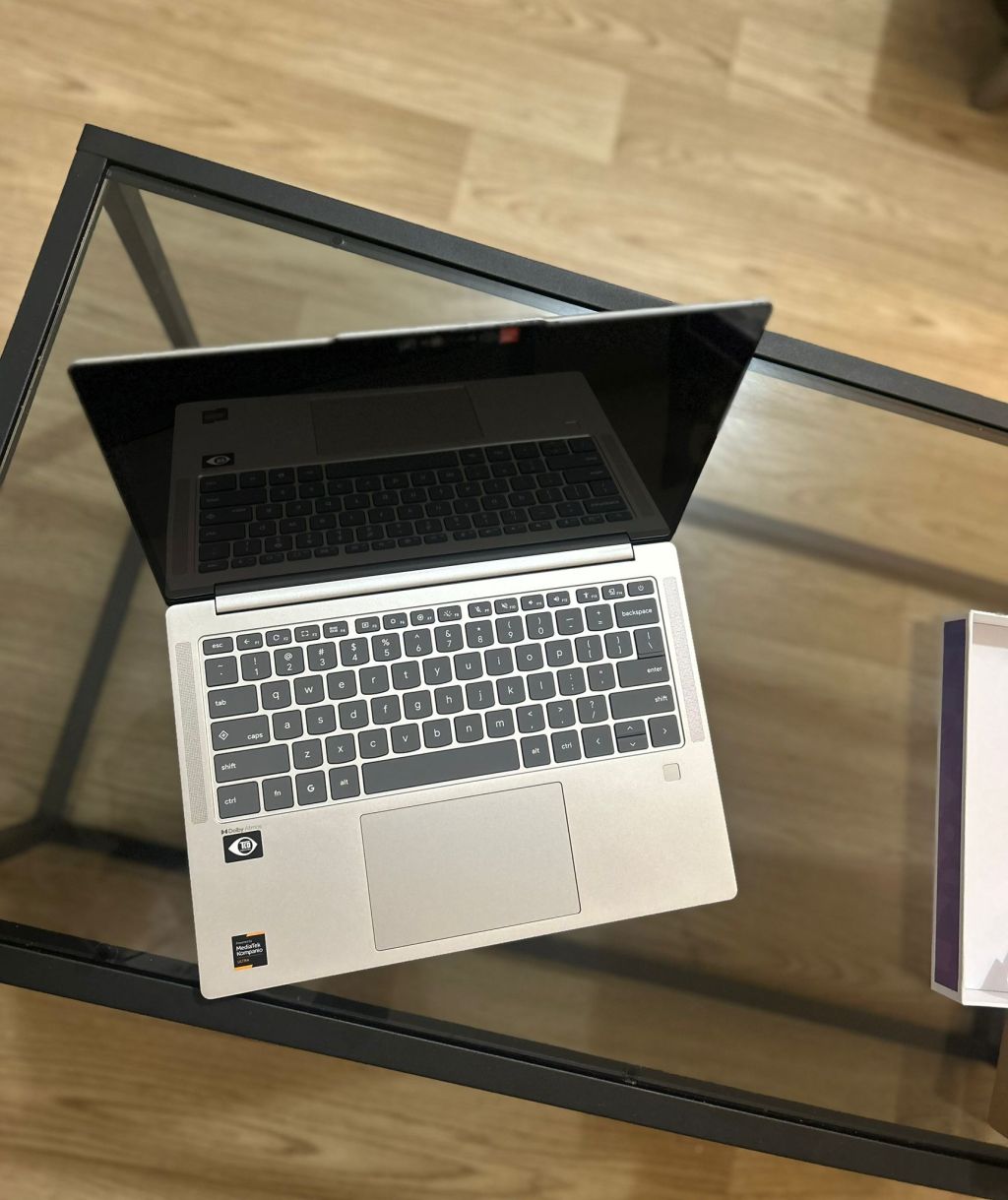
The Lenovo Chromebook Plus 14 is the clear powerhouse and heavyweight of the trio. As a Chromebook Plus device, it boasts the beefy MediaTek Kompanio Ultra 910 processor, making it significantly faster and more capable for demanding tasks, multitasking, and even on-device AI features. Paired with an ample 16 GB RAM and fast UFS storage, it offers a premium Chromebook experience for an ecosystem that’s generally considered a budget user space. It’s the best Chromebook I’ve ever used. Its higher specs also make it a contender for a daily driver machine since Android and Linux apps run almost effortlessly and can fill in some of the gaps for apps you miss on Windows and Mac. Linux apps may be harder to find since not all of them have ARM-builds, but I was able to download some major open source favorites like image-editing program GIMP and LibreOffice. Powerful and all-day battery life? Take my money pls.
Stepping into the midweight ring is the Lenovo Duet Gen 9. This 2-in-1 detachable Chromebook prioritizes versatility and portability–a good companion for education (my field) and limited fieldwork (for short periods). Its MediaTek Kompanio 838 processor and 8 GB of RAM offers a solid balance of performance and efficiency for everyday tasks, web browsing, and media consumption. The tablet form factor and optional pen support make it ideal for students, teachers, creative tasks, and anyone who values flexibility. While not as powerful as the Plus 14, it’s a fantastic all-rounder for on-the-go use. The only thing I docked it for are its eMMC storage and its weaker battery life–5-6 hours would be ok for an Intel-based Chromebook (like the cloud-gaming based Acer 516), but disappointing for a usually power-efficient ARM processor.
Finally, we have the Lenovo Slim 3 Chromebook . This is the entry-level contender, focused on affordability and battery life. Powered by the MediaTek Kompanio 520 processor, it’s well-suited for basic tasks like web browsing, media consumption, email, and light document editing. It’s a great option for those who need a reliable and lightweight Chromebook without breaking the bank. However, it won’t offer the same level of speed or multitasking capabilities as its more premium ARM siblings because of its eMMC storage and lower 4 GB of RAM. That said, if you stick to web apps and disable Android and Linux, it still runs decently fast in my experience. The touchscreen is a nice plus for a device in this budget range. It’s great for travel because of its all day battery life (which it shares with its more powerful Plus sibling) and because its cost make it low risk for theft or damage.
Closing Recommendations:
- For Top-Tier Performance: Lenovo Chromebook Plus 14
- For Versatility and Portability: Lenovo Duet Gen 9
- For Budget-Friendly Basics: Lenovo Slim 3 Chromebook (MediaTek)
I’m excited to see the direction ARM-based Chromebooks will go as they start shedding their reputation as turtle-slow mobile budget processors and start becoming a viable alternative to daily driving.
Summary of Performance Difference:
| Lenovo Chromebook Plus 14 | Lenovo Duet Gen 9 | Lenovo Slim 3 Chromebook | |
| Processor | MediaTek Kompanio Ultra 910 Octa-core CPU with Arm Cortex-X925 processor up to 3.62GHz Octa-core CPU with Cortex-X925, Cortex-X4 and Cortex-A720 processors | MediaTek Kompanio 838 Octa-core CPU 2x Arm Cortex-A78 @ 2.6GHz 6x Arm Cortex-A55 @ 2.0GHz | MediaTek Kompanio 520 Octa-core CPU 2x Arm Cortex-A76 cores up to 2GHz 6x Arm Cortex-A55 cores up to 2GHz |
| Performance Tier | High-end Chromebook Plus | Mid-range | Entry-level |
| Primary Focus | Speed, AI features, multitasking, long 10+ hour battery life | Portability, versatility, 2-in-1 tablet form factor | Affordability, long 10 hour battery life |
| Best for | Power users, creators, intensive tasks, running Linux apps | Education, light creative work (with stylus pen), media consumption | Basic web browsing, media, email, light use (sticking to web apps is best) |
| Cons | Expensive at $749 (though the specs are more premium than a Windows PC in this price range) | Short battery life, smaller screen, and eMMC storage (which disqualifies it from a Plus designation). | Slower eMMC storage and low 4 GB of RAM |


 Chromebook Reviews